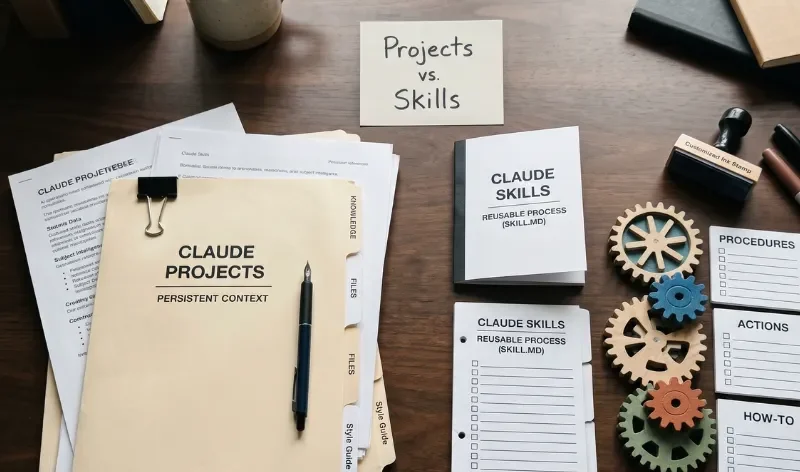
When exploring Claude, you might find yourself confused between Projects and Skills because both features alter how the assistant behaves and responds. The quickest way to understand the difference is through their core functions: **Projects store persistent knowledge (the *what* and *where*), while Skills execute repeatable procedures (the *how*).**
Knowing when to use each feature saves you from overloading your chats with repetitive instructions or losing track of important reference files.
What Is a Claude Project?
A Claude Project is a self-contained workspace designed to help you organize conversations around a specific topic, client account, or ongoing initiative. Think of it as a digital filing cabinet dedicated to a single body of work.
Within a Project, you can upload reference files, set custom project instructions, and maintain a persistent chat history across multiple sessions.
- Core Concept: Workspace-bound knowledge base and context.
- Ideal Use Cases: Managing a product launch repository, storing brand guidelines and target audience research for a client, or keeping all documentation for a software coding repository in one spot.
What Is a Claude Skill?
A Claude Skill is a portable set of instructions, templates, or scripts that teaches Claude *how* to perform a specific, repeatable procedure. Rather than forcing Claude to keep everything active all at once, Skills load dynamically using progressive disclosure whenever a relevant task comes up.
You can think of a Skill as a procedure manual or a mini-app that you can carry across different conversations or projects.

- Core Concept: Portable task execution and procedural logic.
- Ideal Use Cases: Formatting raw text into a strict company report template, running a precise data analysis script, or generating weekly status updates according to a rigid checklist.
Key Differences at a Glance
| Feature | Claude Projects | Claude Skills |
|---|---|---|
| Primary Function | Knowledge storage and contextual reference | Task execution and procedural rules |
| Scope | Tied to a specific workspace/project | Global or portable across conversations |
| When It Triggers | Always active within that specific project | Loaded dynamically when a relevant task arises |
| Best For | Reference files, background data, and ongoing topics | Step-by-step workflows, templates, and formatting rules |
How to Choose Which One to Use
Choosing between a Project and a Skill comes down to a simple question about what you are trying to solve:
- Use a Project if you are tired of uploading the same reference documents, PDFs, or background notes into every new chat. If Claude needs to *know* specific facts about your business, put them in a Project.
- Use a Skill if you are tired of typing the exact same formatting rules, prompt sequences, or procedural steps over and over again. If Claude needs to *do* a specific multi-step routine consistently, write a Skill.
Combining Both Together
You do not always have to choose just one—they work exceptionally well together. You can attach or reference a Skill inside a Project workspace.
For example, you can set up a Project containing all your company’s quarterly financial reports (the knowledge base), and then invoke a custom Skill designed to extract specific metrics and format them into a neat executive summary table. This separation keeps your workspace clean, your files organized, and your outputs consistent every single time.